
Help guide
A little help feels like home.
An overflowing herb pot. A wobbly chair. A neighbor who knows just the trick. Help is a place for the small, everyday things you can ask for or offer.

From extra garden herbs to mint tea
Someone has more mint and rosemary than their kitchen can use. Maya loves mint tea. Here’s how a small offer turns into a friendly exchange.
First time here? Open the app and choose Get started to set up your account, avatar, and interests. The screenshots below follow a fictional member.
Browse offers and requests
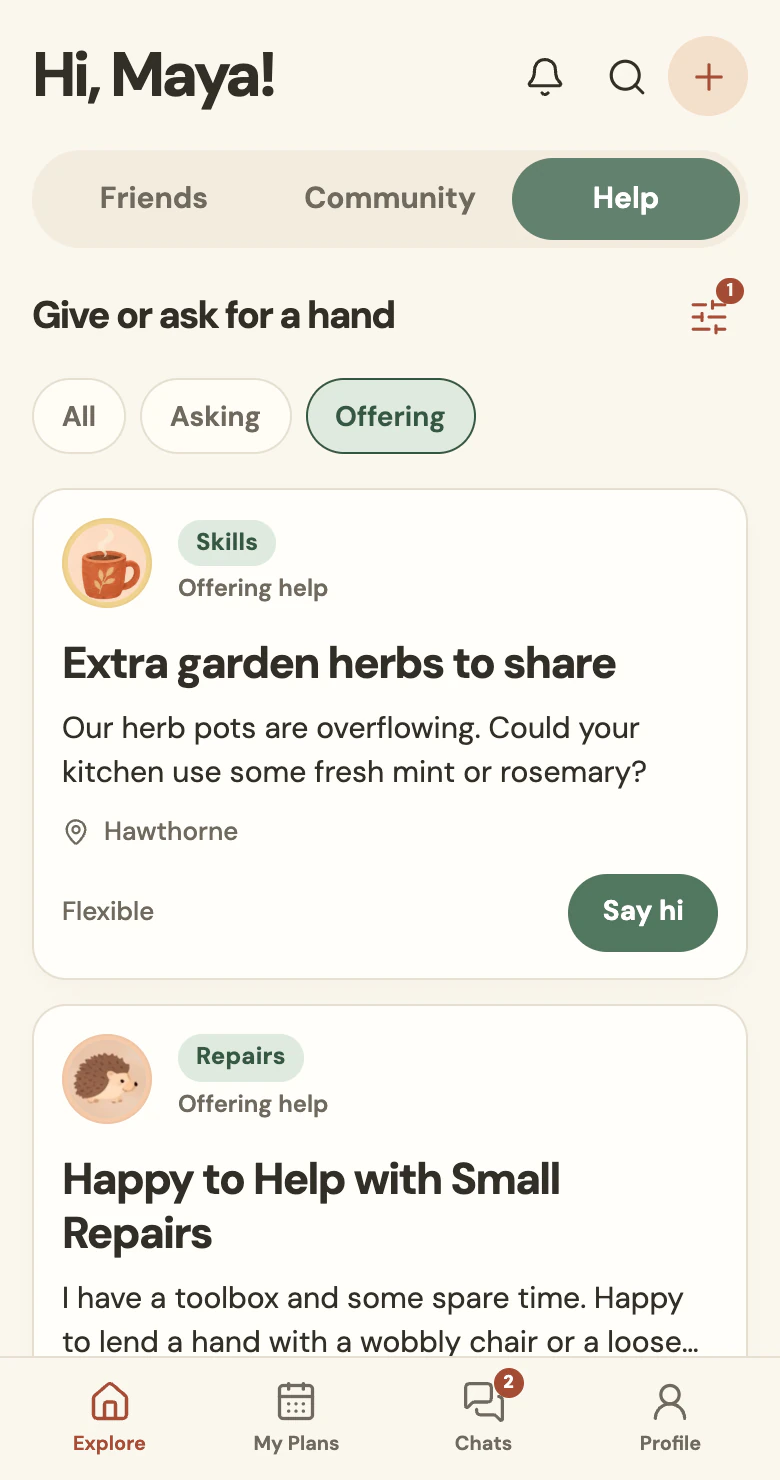
In Explore, choose Help. Tap Offering to see what neighbors can share, or Asking to find someone you could help. Maya opens Extra garden herbs to share.
 View full screenshot
See what’s involved
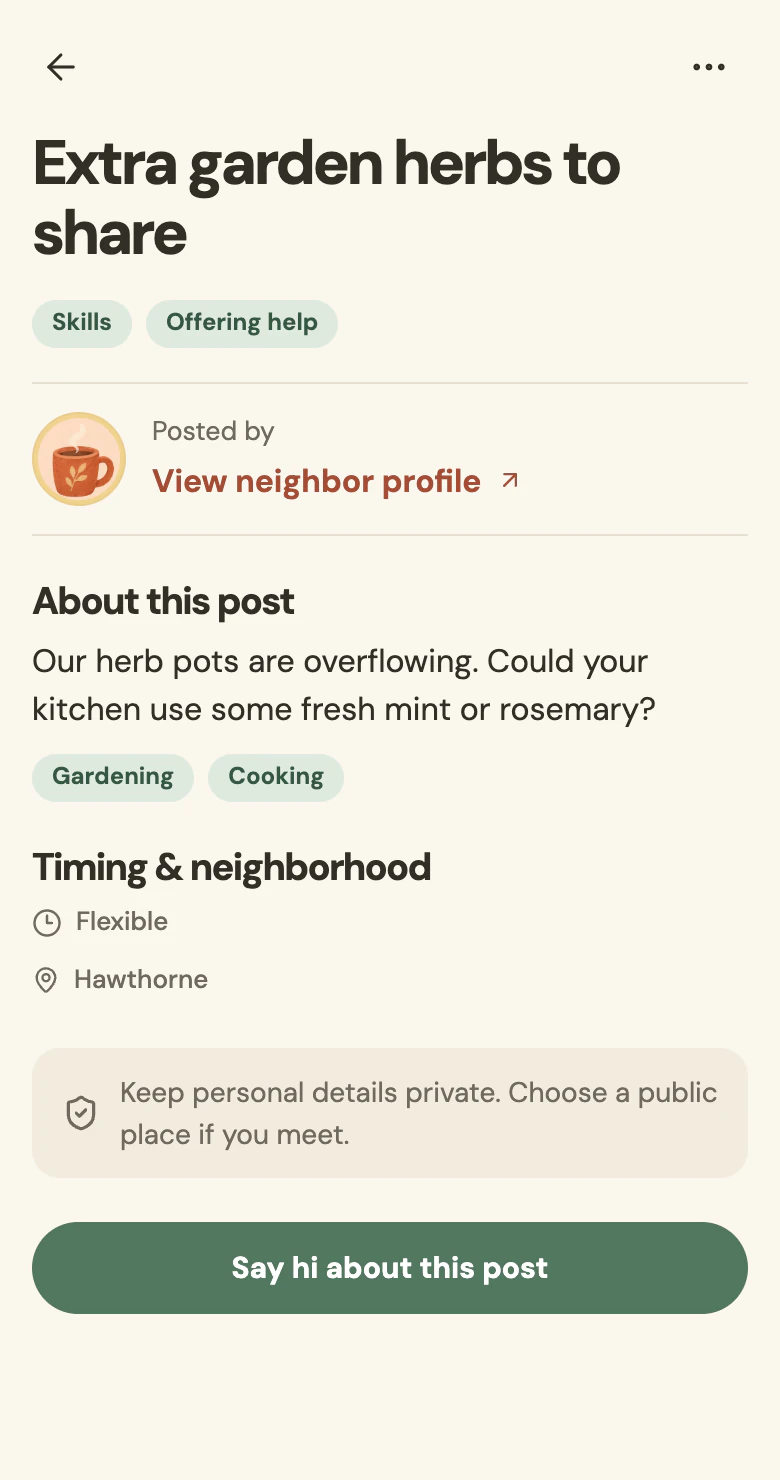
Open the post, read About this post, and check Timing & neighborhood. The herbs are available on a flexible schedule in Hawthorne. Tap Say hi about this post.
 View full screenshot
Write a friendly note
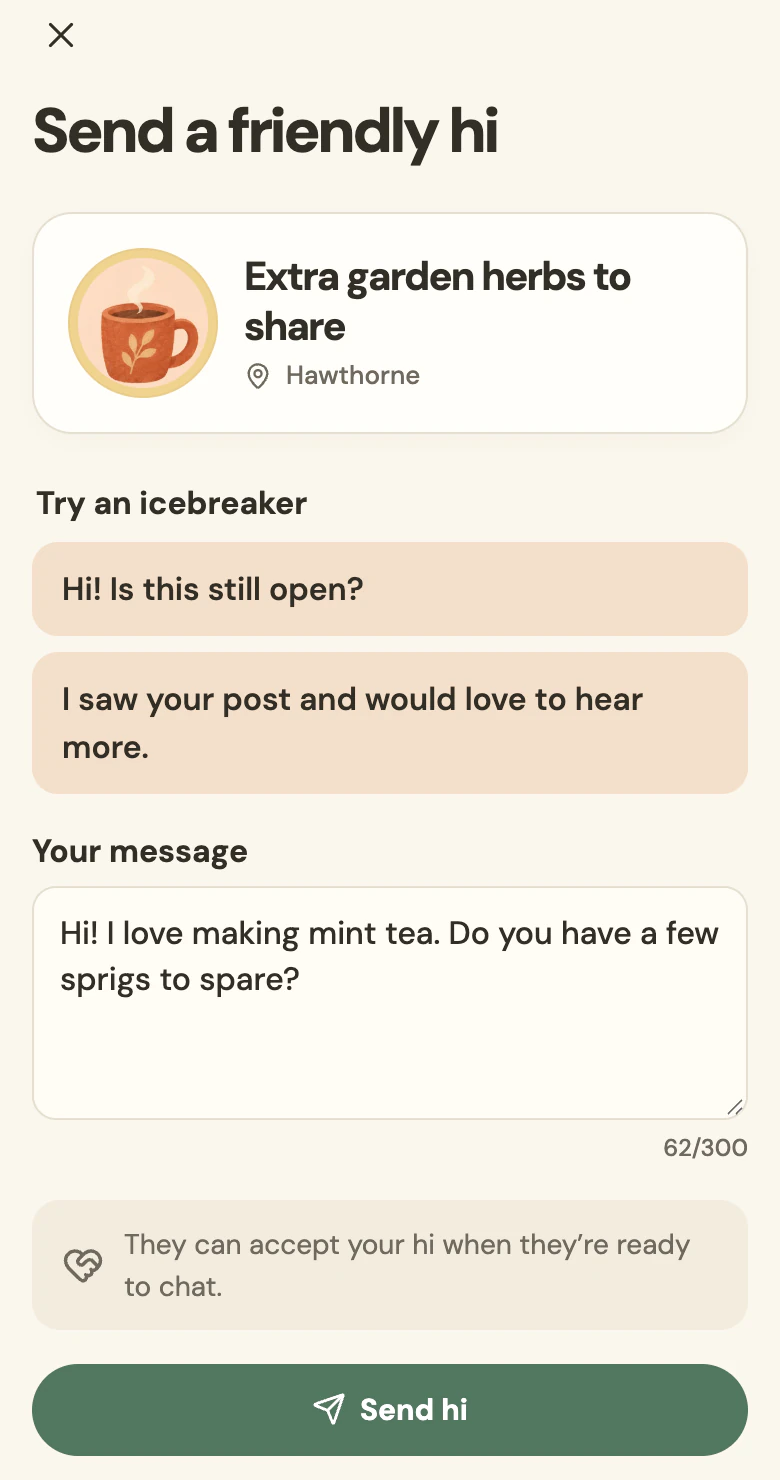
Say what caught your eye, then tap Send hi. Maya asks whether there are a few sprigs for mint tea.
 View full screenshot
Work out the details together
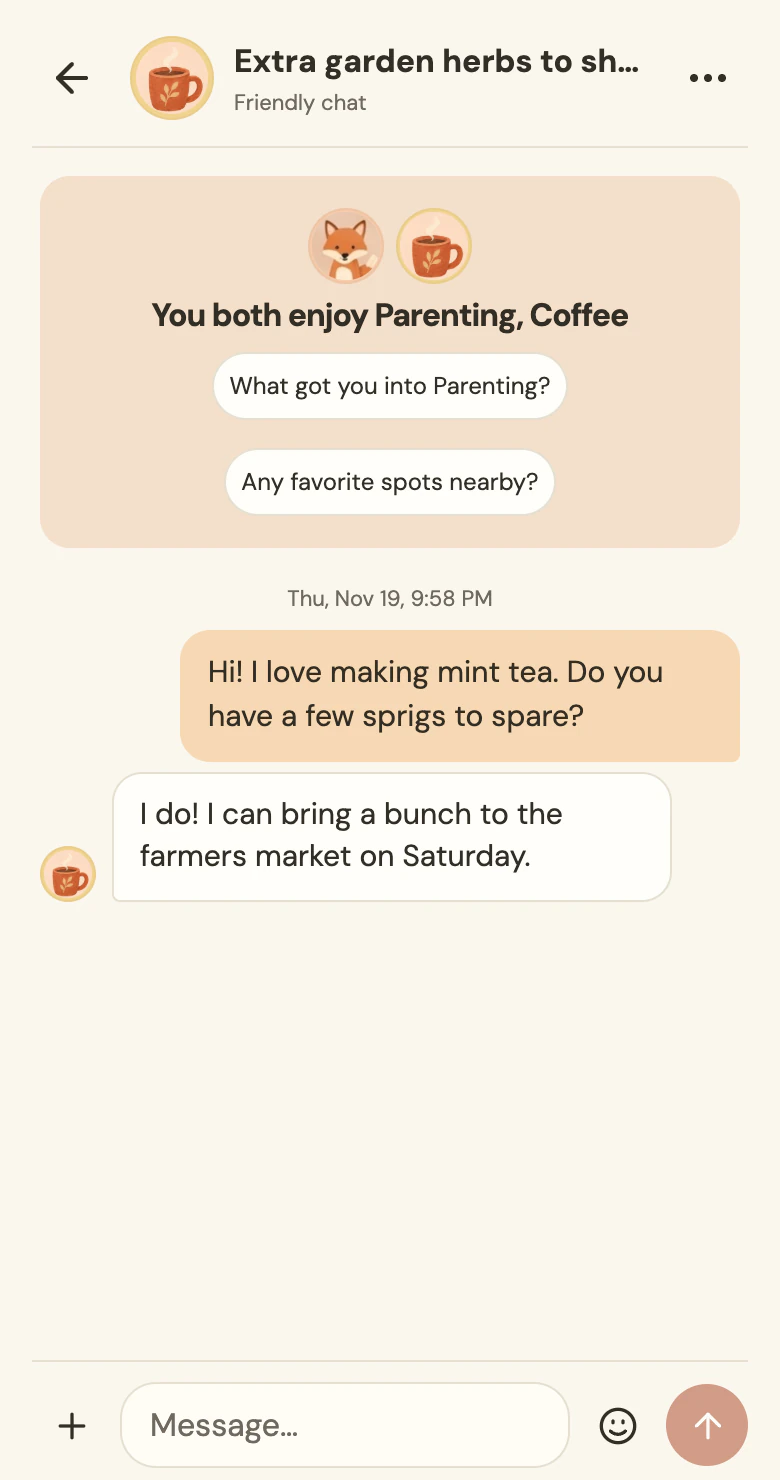
When the neighbor accepts, use Open chat on the post or find the conversation in Chats. Here they discuss a Saturday farmers market pickup. Choose a public place if you meet.
 View full screenshot
What could you share?
Open the app and choose Help in Explore to see what neighbors are asking for and offering.
Open Friends That Meet