
Friends guide
Meet someone who gets your kind of fun.
That board game you could talk about for hours? It might be the start of a friendship. Explore familiar interests and send a hello when someone feels like your kind of person.

From shared interests to a first hello
Follow Maya, a board-game fan, as she finds someone who plays Catan and swaps recommendations for a rainy afternoon.
First time here? Open the app and choose Get started to set up your account, avatar, and interests. The screenshots below follow a fictional member.
Look for common ground
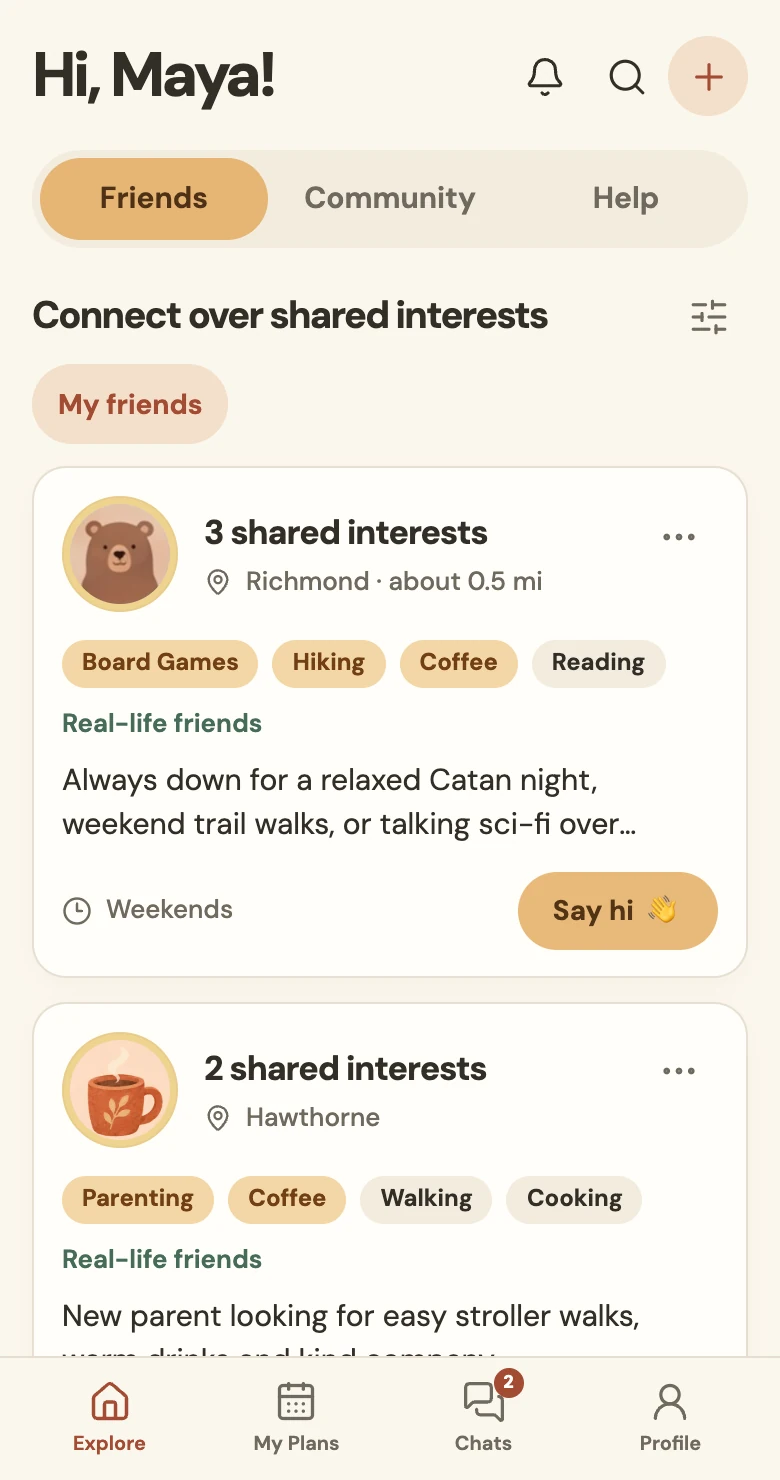
In Explore, choose Friends. Each card introduces a neighbor through their avatar and interests. Maya spots a bear who also likes board games, hiking, and coffee.
 View full screenshot
Get a feel for the person
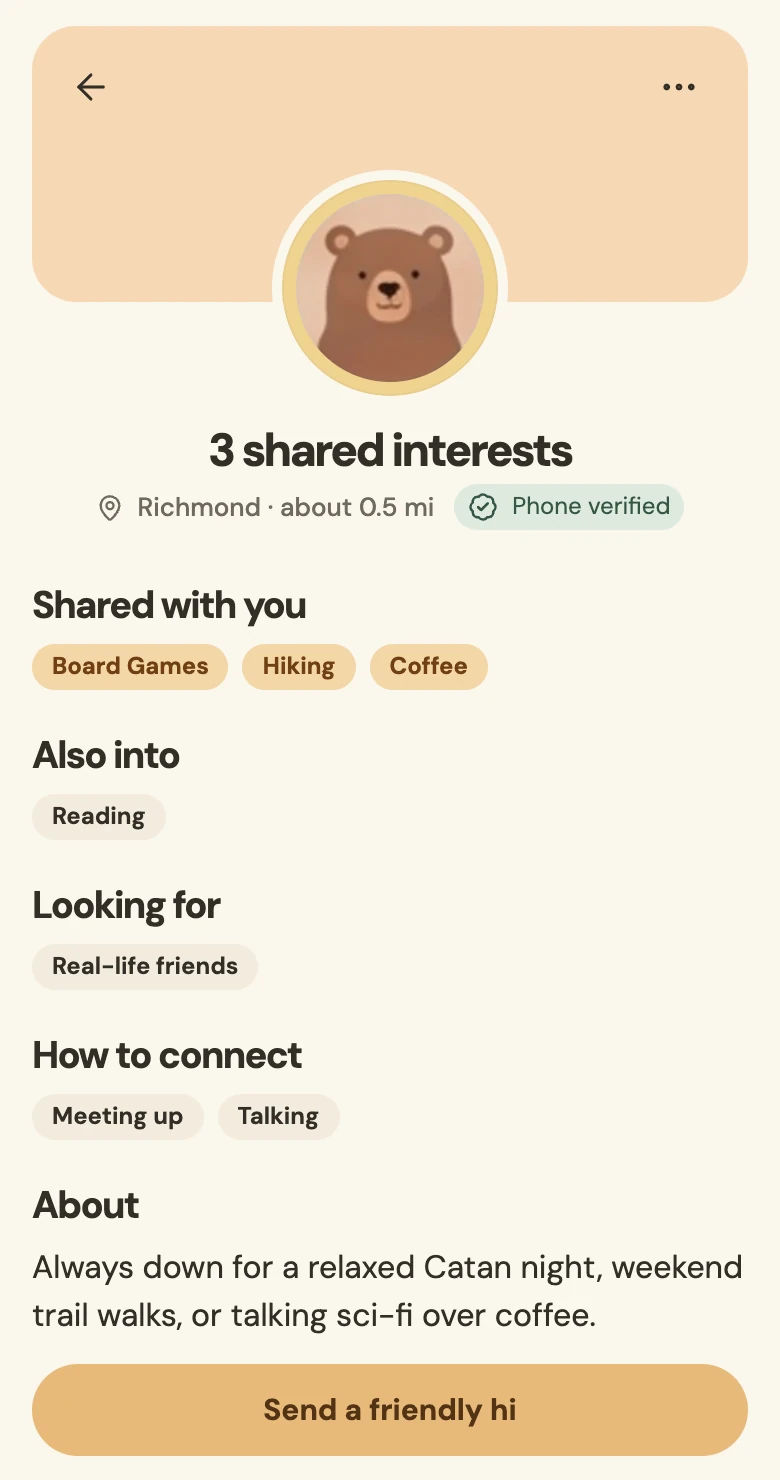
Tap the card to see Shared with you, Looking for, and How to connect. This neighbor enjoys meeting up and talking. When you’re ready, choose Send a friendly hi.
 View full screenshot
Ask something easy to answer
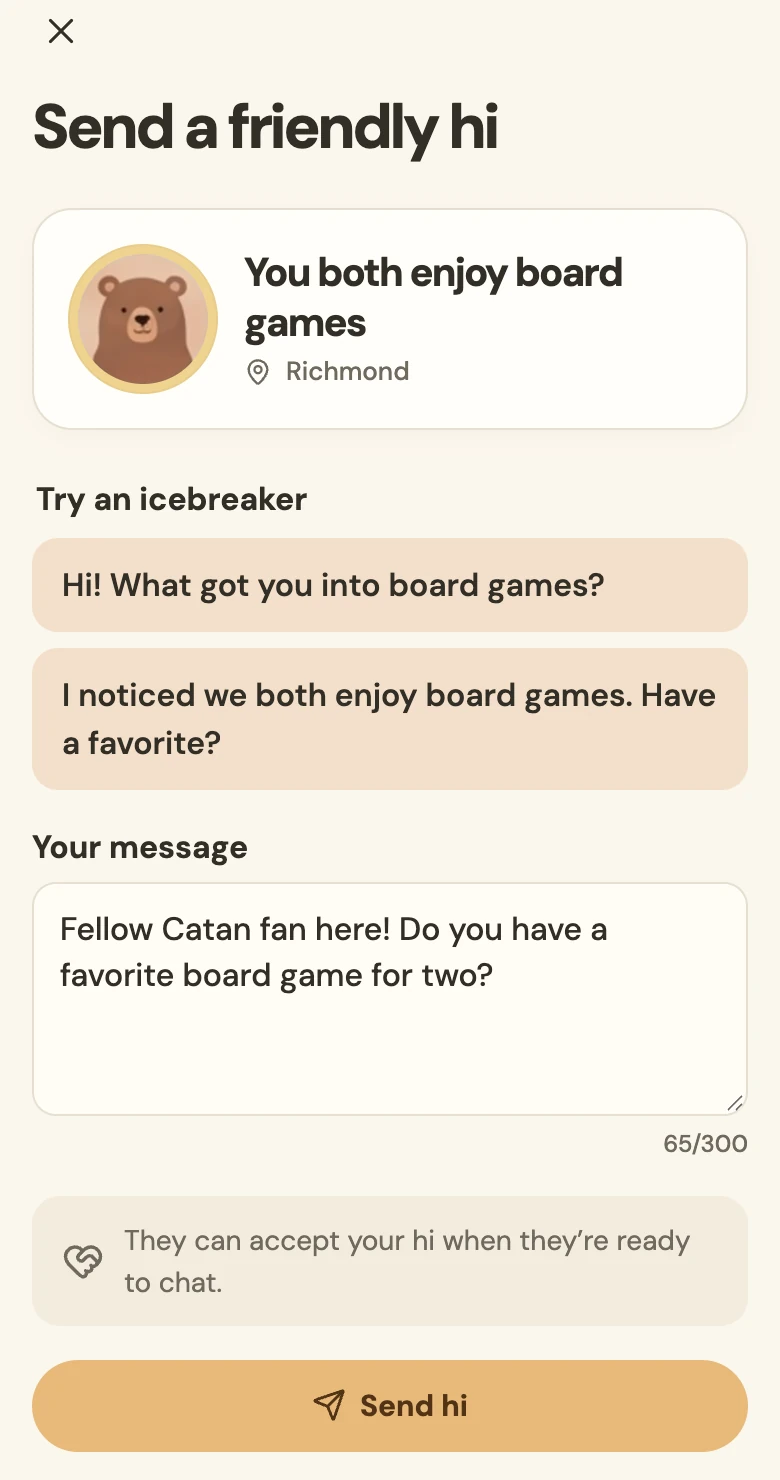
Pick an icebreaker or write your own, then tap Send hi. Maya asks for a favorite two-player game.
 View full screenshot
Keep the conversation going
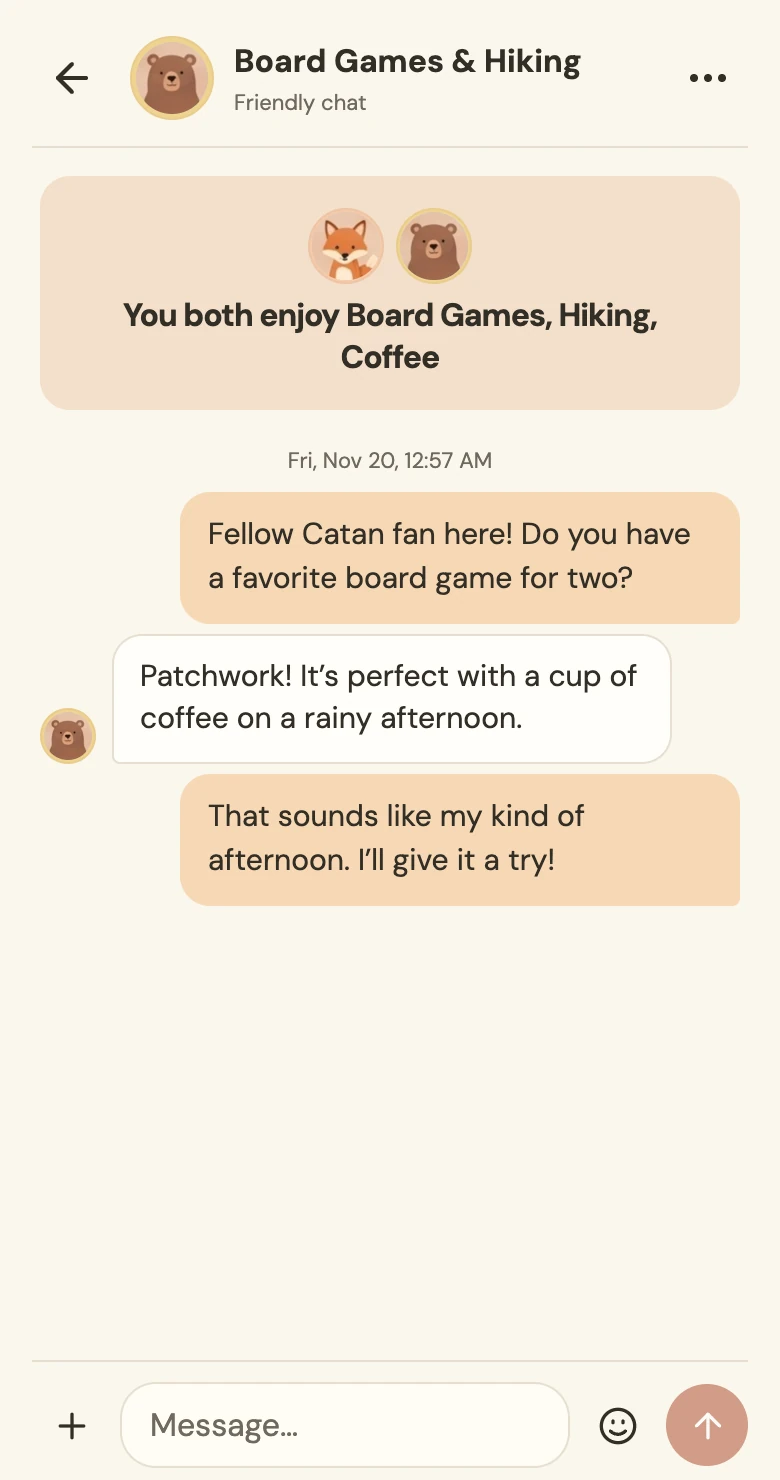
Once your hello is accepted, open Chats to reply. The bear suggests Patchwork. Want to stay in touch? In Chat options, choose Send friend request. After they accept, find them in Explore → Friends → My friends.
 View full screenshot
Who shares your favorite thing?
Pick your avatar and a few interests, then visit Friends in Explore.
Open Friends That Meet