
Community guide
There’s room for one more.
Joining a plan can feel easier than making the first introduction. Find a gathering with something to do together, and get to know people along the way.

From a park cleanup to a familiar face
A neighborhood park cleanup catches Maya’s eye. Here’s how she finds out what to bring and joins the group before the day arrives.
First time here? Open the app and choose Get started to set up your account, avatar, and interests. The screenshots below follow a fictional member.
Find a plan you like
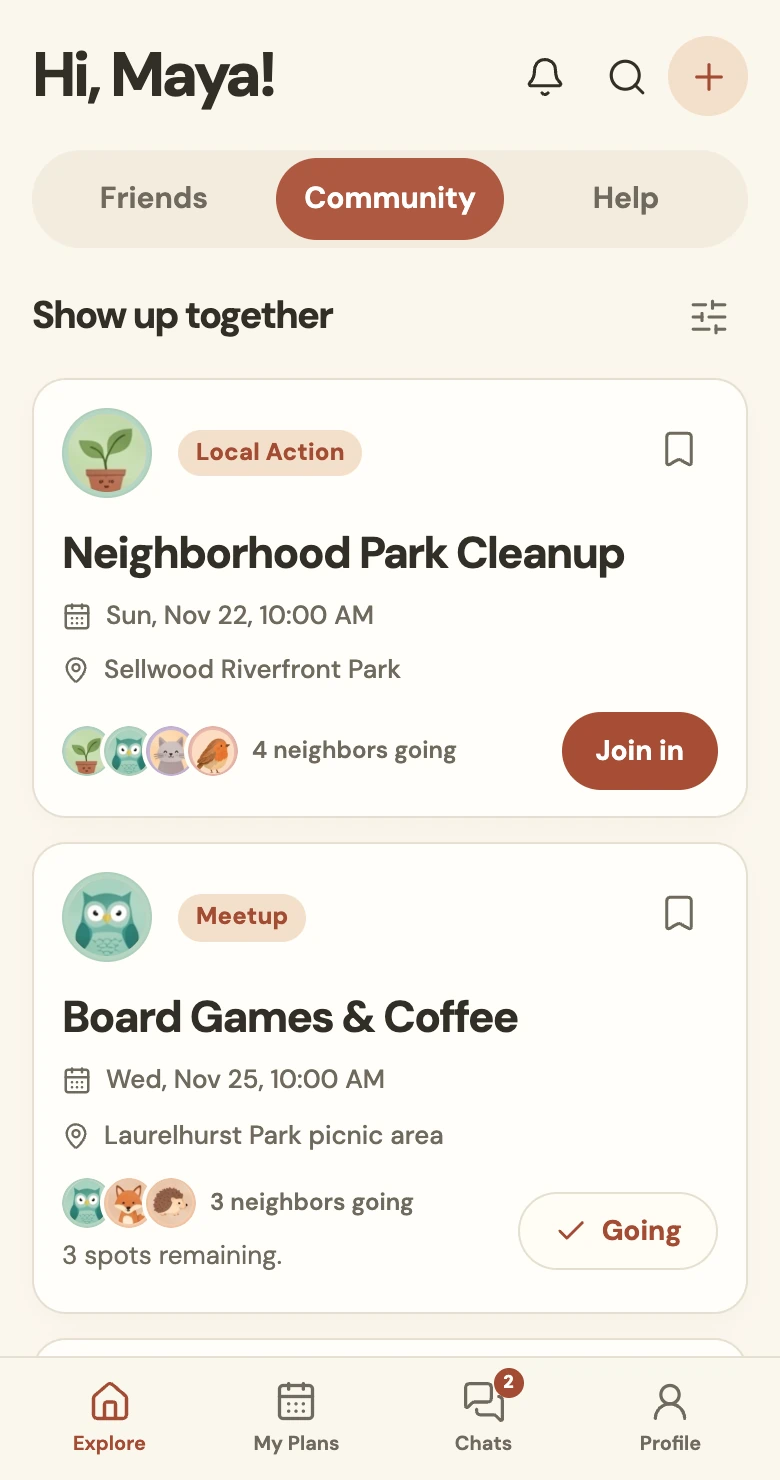
In Explore, choose Community. Scan the time, neighborhood, and activity on each card. The Neighborhood Park Cleanup has room for another pair of hands.
 View full screenshot
Read the invitation
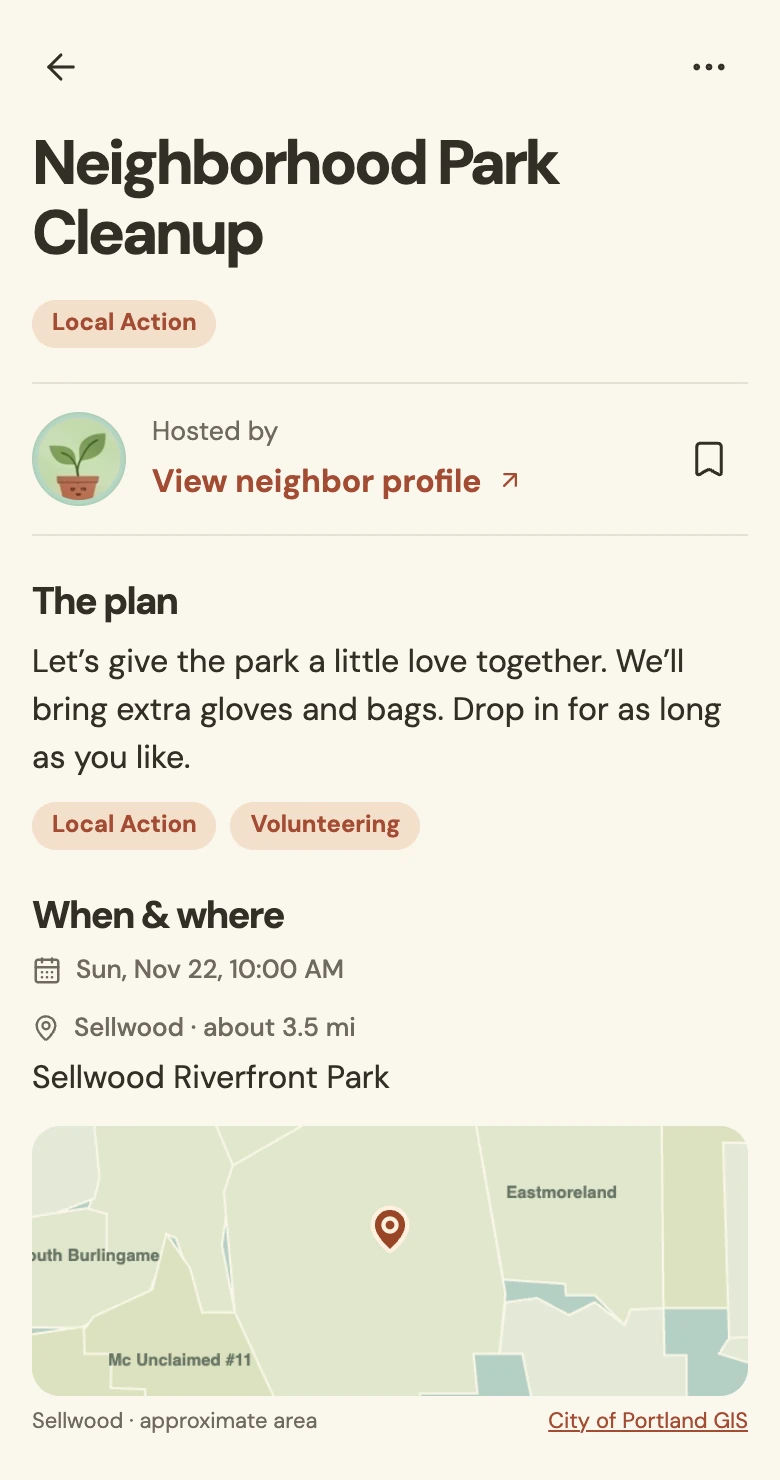
Tap the gathering to read The plan and When & where. Here, volunteers can drop in at Sellwood Riverfront Park. Some hosts share the exact meeting place after you RSVP.
 View full screenshot
Save your place
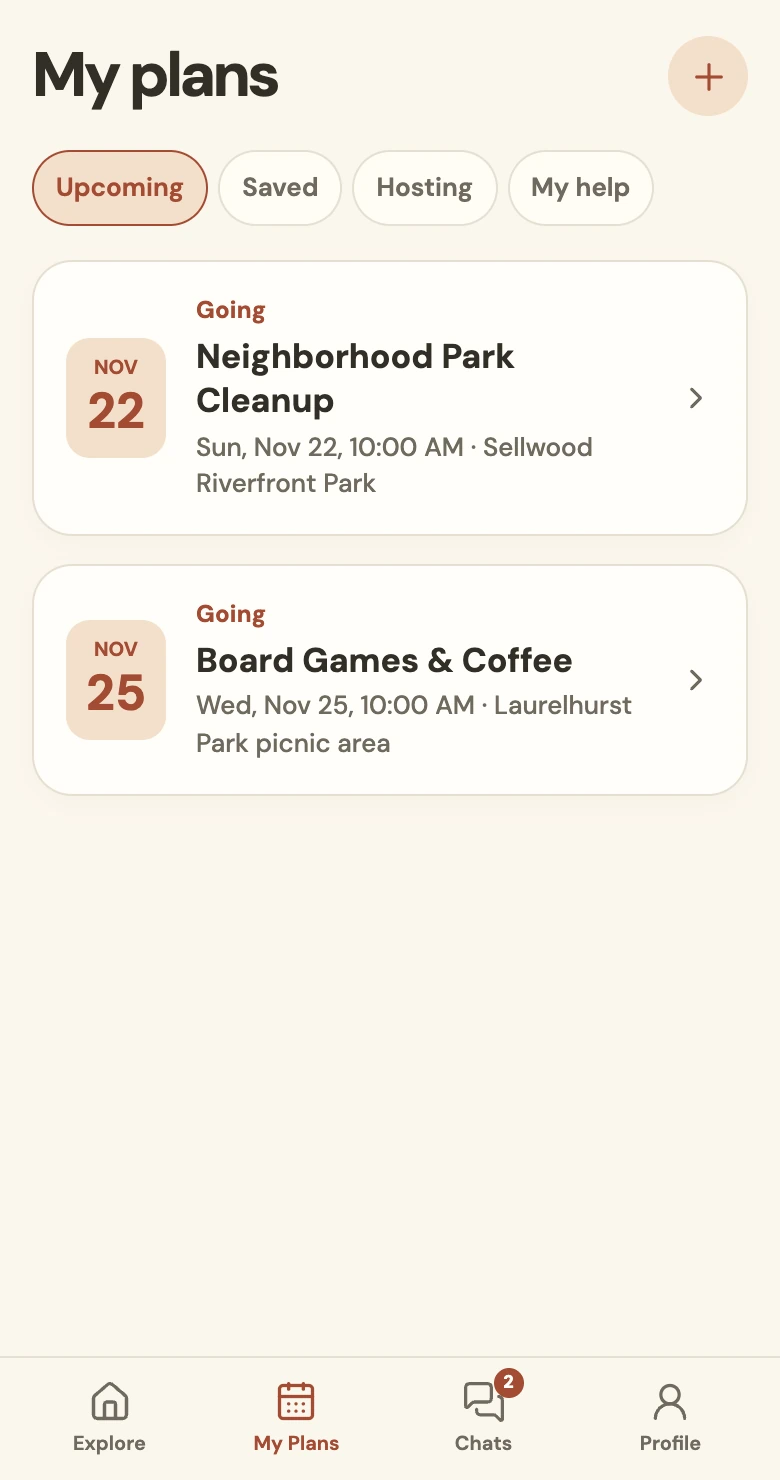
Tap Join in on the event. You’ll see the gathering marked Going under My Plans → Upcoming. If your day changes, reopen it and choose Going · cancel RSVP.
 View full screenshot
Say hello before you go
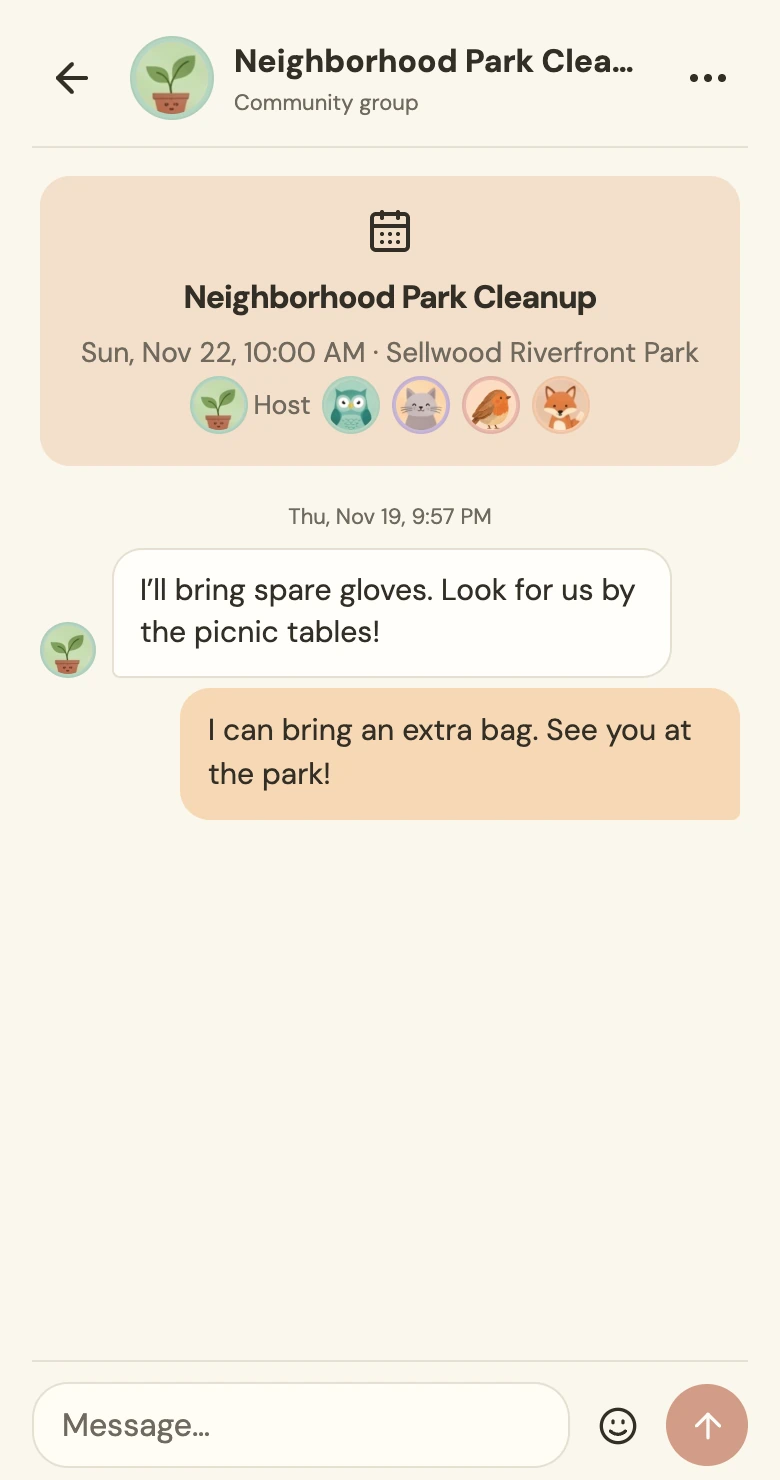
Open the event and tap Open group chat. The host has spare gloves. Maya offers to bring a bag.
 View full screenshot
What’s happening around you?
Open the app and choose Community in Explore to see the invitations.
Open Friends That Meet